
1. Purpose and learning objectives
Objectives: distinguish internet, web, intranet and optical-disc resources; construct a search; evaluate evidence; record sources and protect privacy. Information access is a learning skill, not permission to bypass subscriptions or institutional controls. Nursing students should use approved academic resources and evaluate information before applying it.
2. Internet, web and browsers
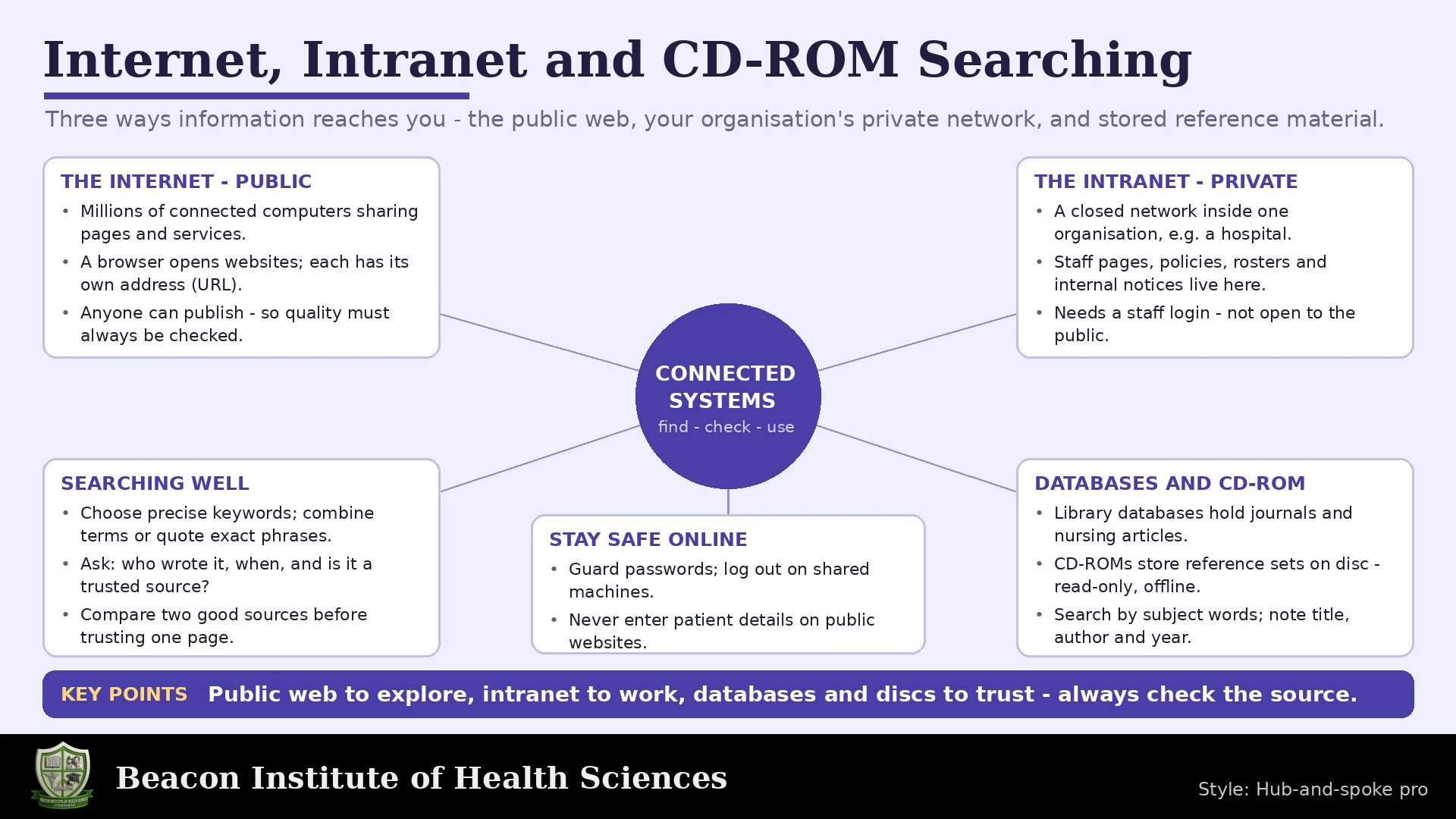
The internet is a global network of networks. The World Wide Web is one service using it, accessed through browsers and links. Email and other services also use the internet. A browser displays web content; a search engine helps locate indexed content. A web address identifies a resource. A lock symbol indicates an encrypted connection, not that the content is accurate.
3. Understanding an intranet
An intranet is an organization's restricted network or information environment. It may provide policies, teaching material and internal services. Access can require an institutional account and approved connection. Public search engines usually do not expose all intranet content. Use the local search, check the policy version and never share credentials.
4. Understanding CD-ROM resources
CD-ROM means compact disc read-only memory. Published content on such a disc is normally not edited by the reader. Older educational databases and textbooks may use discs; access needs compatible hardware and software. Content reflects the release date and may be outdated. Do not enable unknown programs or macros merely to read a disc. Ask institutional support about safe compatibility.
5. Planning a search
Plan a search by stating a question and identifying its concepts. For a fictional assignment about hand hygiene education among nursing students, concepts include nursing students, hand hygiene and education. Generate synonyms and consider controlled vocabulary. Avoid typing a long conversational paragraph when a structured strategy would be clearer.
6. Boolean logic and search syntax
Boolean logic: OR combines alternatives and often broadens retrieval; AND connects concepts and often narrows it; NOT excludes and can accidentally remove relevant results. Parentheses group synonyms. An example strategy is (nursing students OR student nurses) AND hand hygiene AND education. Database syntax differs, so consult its help. Phrase searching and truncation also vary and must be tested.
7. PubMed, PMC and MeSH
PubMed contains biomedical citations and abstracts; a citation does not necessarily include free full text. PMC provides a collection of full-text articles. MeSH is a controlled vocabulary used for indexing many MEDLINE records. Recent or other records may need keyword searching too. Inspect how PubMed interprets a search and avoid assuming every record has identical indexing.
8. A reproducible search workflow
Workflow: search broadly enough to learn vocabulary, inspect promising records, refine terms and apply justified filters. Filters can exclude relevant records, including those not yet indexed. Record the database, date, exact query and limits. Read the full article when available rather than drawing conclusions from a title. A search result ranking is not an evidence-quality ranking.
9. Evaluating information
Evaluation: identify author, publisher, date, purpose and supporting evidence. Distinguish a guideline, systematic review, research article, opinion and advertisement. Consider population, methods, limitations and relevance to the question. Recent information is not automatically stronger, and older foundational work is not automatically useless. For clinical policy, check the approved current institutional guidance.
10. Searching an intranet
Intranet search example: find an approved hand-hygiene policy, confirm its issuing department and revision date, verify that it is the active document and record its location. If versions conflict, ask the responsible team. Do not upload internal policy files to public websites without authorization. A public article cannot automatically override local procedures.
11. Searching a disc resource
Disc-search example: inspect the disc label and edition, open the approved reader, use its index or search function, find a topic and record title, edition, year and page. Check newer sources for time-sensitive recommendations. Read-only storage prevents ordinary editing of the disc; it does not guarantee reliable content or protect a connected computer from malicious software.
12. Citations and copyright
Reference handling: keep a search log and accurate citation details. Paraphrase with attribution; quote sparingly and mark quotations clearly. Respect copyright and access agreements. Save only permitted material in approved storage. A bibliography generated by software still needs checking. Do not cite a source that you have not actually consulted.
13. Online safety
Online safety: recognize phishing, verify destinations before sign-in, use approved accounts and avoid entering patient details into public searches. Download only from trusted authorized sources. On shared equipment, sign out and avoid saving credentials. Never use personal email to move confidential clinical documents. Report suspicious messages using the institution's process.
14. Practical task and answered review
Practical exercise and answers: compare one public search result, one PubMed citation and one approved intranet document using author, date, purpose, evidence and access. Which operator combines synonyms? OR. Does HTTPS prove accuracy? No. Does CD-ROM automatically contain current evidence? No. Is a PubMed abstract always free full text? No. Why record exact queries? Reproducibility and honest reporting. Recap: search deliberately, evaluate critically and document sources.
15. Worked learning activities and final checks
A useful search log has fields for the question, resource searched, search date, exact query, filters used and notes about relevant records. Add citation details when you select a source. If a search produces too many irrelevant results, inspect terminology before adding many restrictions. If it produces very few results, remove unnecessary limits and try relevant synonyms. Record changes so the final strategy can be explained.
For an appraisal exercise, compare a promotional page with a research abstract and an approved policy. Ask who produced each item and what it is intended to do. Advertising may present selective benefits, an abstract may omit important methods and a policy may apply only within one organization. None should be treated as interchangeable. The question determines which kind of evidence is relevant.
When reviewing an article, distinguish the authors' actual findings from your interpretation. Identify the population, setting and study design, then look for stated limitations. Do not turn an association into a causal claim. If the full text cannot be accessed lawfully, record that limitation and seek another suitable source rather than implying that you examined unavailable methods or results.
CD-ROM searching remains part of some introductory curricula because it illustrates local access and fixed editions. Compare it with an online database: a disc can work without a live internet connection after approved setup, but its contents do not update automatically. Online resources may update, yet access and reliability still vary. Both need citation details, relevance checks and safe handling. The medium alone never establishes evidence quality.